
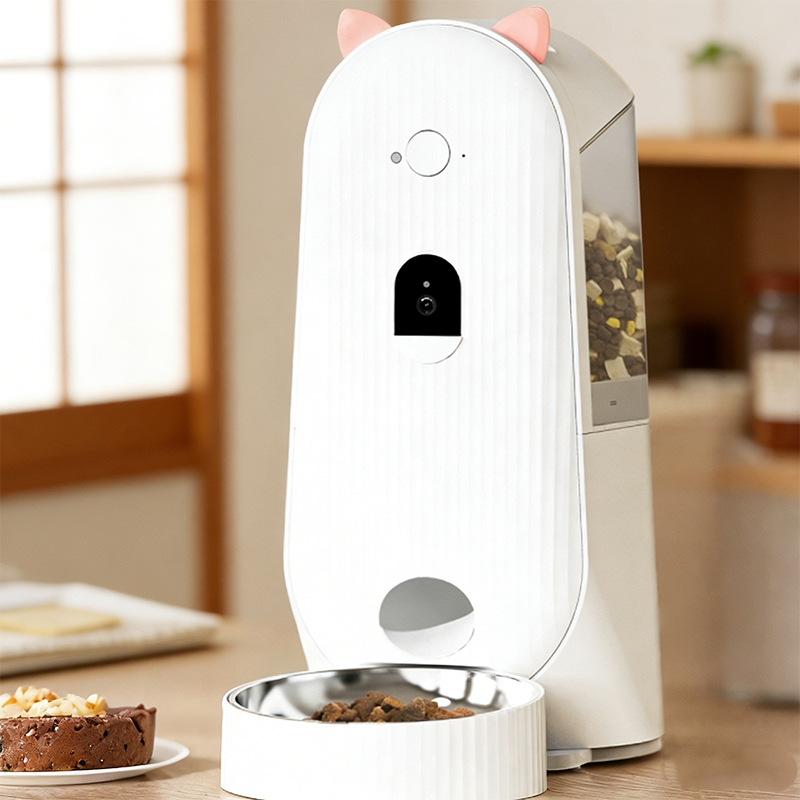
Smart pet feeders have made feeding pets easier and more consistent than ever before. By scheduling meals and controlling portion sizes automatically, these devices help pet owners maintain a regular feeding routine even when they are busy or away from home. However, some cat owners notice that their pets still seem hungry after meals and begin to wonder if something is wrong with the feeder.
In many cases, the issue is not the device itself but a misunderstanding of portion settings in smart pet feeders. Learning how these settings work can help ensure your cat receives the right amount of food every day.
How Portion Settings Work in Smart Pet Feeders
Most smart pet feeders dispense food in measured portions rather than full bowls. Each portion represents a specific quantity of dry kibble released by the feeder’s internal mechanism. Depending on the feeder model, one portion might equal a small amount of food, often measured in grams or milliliters.
For example, a feeder might dispense food in units such as 1/12 cup per portion. If the feeder is programmed to release only one portion per meal, the total amount may be smaller than what your cat normally eats. This can make it seem as if the feeder is not giving enough food.
Understanding the portion size of your feeder is the first step toward setting the correct feeding schedule.
Why Your Cat Might Still Seem Hungry
There are several reasons why a cat may appear hungry even after using a smart feeder.
Portion Sizes May Be Too Small
If the programmed portion is too small, your cat may finish the food quickly and continue looking for more. Adjusting the portion number per meal often solves this issue.
Incorrect Daily Feeding Amount
Cats have different dietary needs depending on their weight, age, and activity level. If the feeder’s total daily portions are lower than your cat’s recommended intake, your pet may not feel satisfied.
Food Type and Calorie Density
Not all cat foods have the same calorie content. Some kibble formulas are more energy-dense than others. If you recently switched food brands, the same portion setting might now provide fewer calories.
Feeding Frequency
Cats naturally prefer eating multiple small meals throughout the day. If the feeder only dispenses food once or twice daily, your cat may feel hungry between meals. Increasing the number of feeding times can help maintain a steady routine.
How to Adjust Smart Feeder Portion Settings
To ensure your cat receives the right amount of food, it helps to follow a few simple steps.
Check the Feeder’s Portion Measurement
Review the product manual to understand how much food is released per portion. This information helps you calculate the correct daily feeding amount.
Calculate Your Cat’s Daily Food Requirement
Most cat food packaging includes feeding guidelines based on weight. Compare these recommendations with the feeder’s portion size to determine how many portions your cat needs each day.
Adjust Feeding Times
Instead of giving large meals, try splitting the total daily portions into multiple feedings. This mimics a cat’s natural eating behavior and helps prevent overeating.
Observe Your Cat’s Behavior
After adjusting the feeder settings, monitor your cat’s appetite and body condition. If your cat still appears hungry, slightly increasing portion sizes may be necessary.
Avoid Overfeeding
While it’s important to make sure your cat is satisfied, it is equally important not to overfeed. Obesity is a common issue among indoor cats, and excessive portions can lead to weight gain over time.
Smart pet feeders are designed to support controlled feeding, helping pet owners maintain balanced nutrition. Using the correct portion settings ensures that your cat receives the right amount of food without unnecessary excess.
Smart Feeding for Healthier Cats
One of the biggest advantages of smart pet feeders is their ability to provide consistent, portion-controlled meals. Once the correct settings are established, the feeder can maintain a reliable feeding routine every day.
This consistency not only helps reduce hunger-related behavior but also supports better digestion and overall health.
A Simple Adjustment Can Make a Big Difference
If your cat seems hungry after meals, the solution is often as simple as adjusting the portion settings in your smart pet feeder. By understanding how portions work and aligning them with your cat’s dietary needs, you can create a feeding schedule that keeps your pet satisfied and healthy.
With the right setup, smart feeders become powerful tools for maintaining a balanced diet and making daily pet care easier for busy cat owners.


Winpoint was founded in December 2019 by a group of passionate pet lovers who believe in the power of technology to revolutionize pet health management. Our mission is to create a global leading platform for pet health through the development and sale of innovative smart pet products, helping pet owners better understand and care for their furry companions.
Copyright © 2026 安徽省服装进出口股份有限公司 Ltd. All Rights Reserved. POWERED BY WEIMOBTRADE
